



Switching to PhoneBox from Another Carrier
What you need to switch:
★ Phone number
★ Account number (please confirm with your current carrier)
★ An active contract with your current carrier (apply at least one week before your contract ends)
Step 1 – Visit our website: https://phoneboxmobile.com/
•
Select the part that you would like to purchase and the type of Sim you want.
Step 2 – While entering your personal information, you will see the question:
“Would you like to port in your phone number?”
Please select “Yes.”
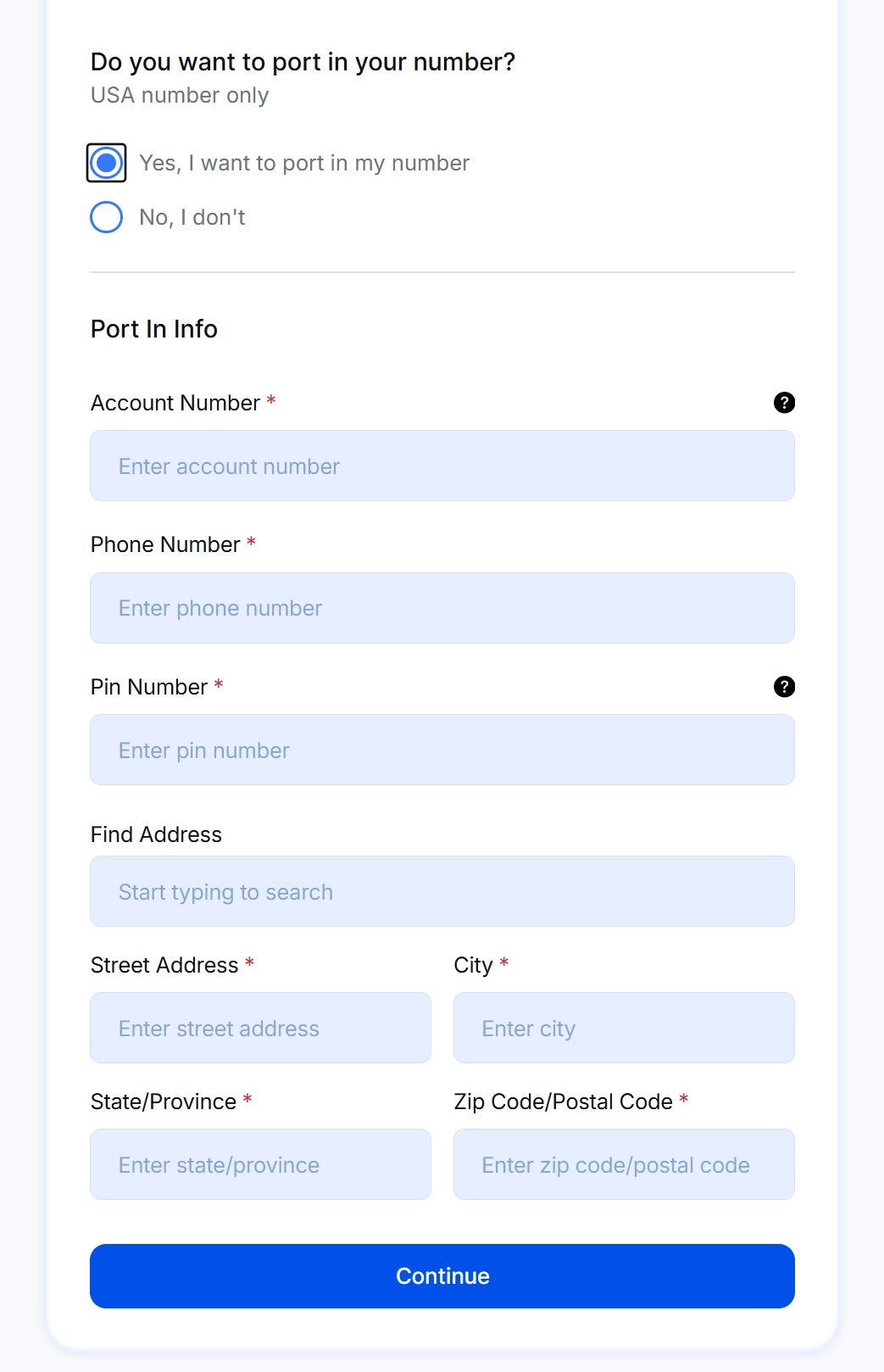
Step 3 – Enter your phone number, current carrier's name, and account number.
(You may find your account number on a previous bill or in your current provider’s online account. If you cannot locate it, please contact your carrier’s customer service to request it.)
 Important:
Do NOT cancel your current number before the port-in is complete.
The number must remain active for the transfer to succeed.
Once you finish entering you personal information, click <continue> and continue with you activation process.
If you need any help contact our support service!
Contact us
Email services@gophonebox.com
Toll-Free 1-855-886-0505
LiveChat gophonebox.com
KakaoTalk PhoneBox
PhoneBoxLINE @phoneboxcanada
Whatsapp 1-403-966-2412
WeChat phonebox canada
