
How to activate when you DON’T have your SIM Card yet.
 Visit PhoneBox website
Click <Mobile Plans>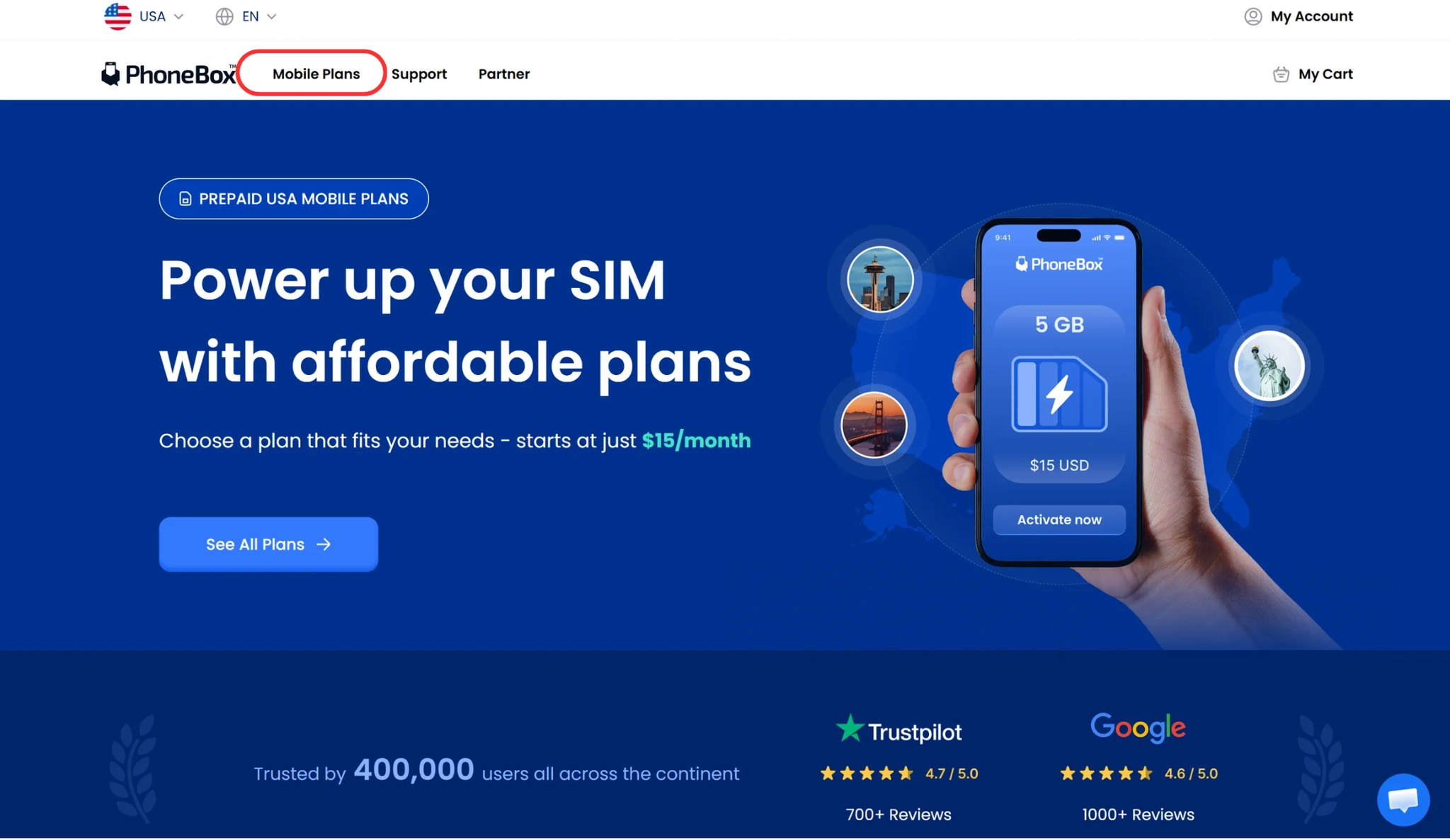
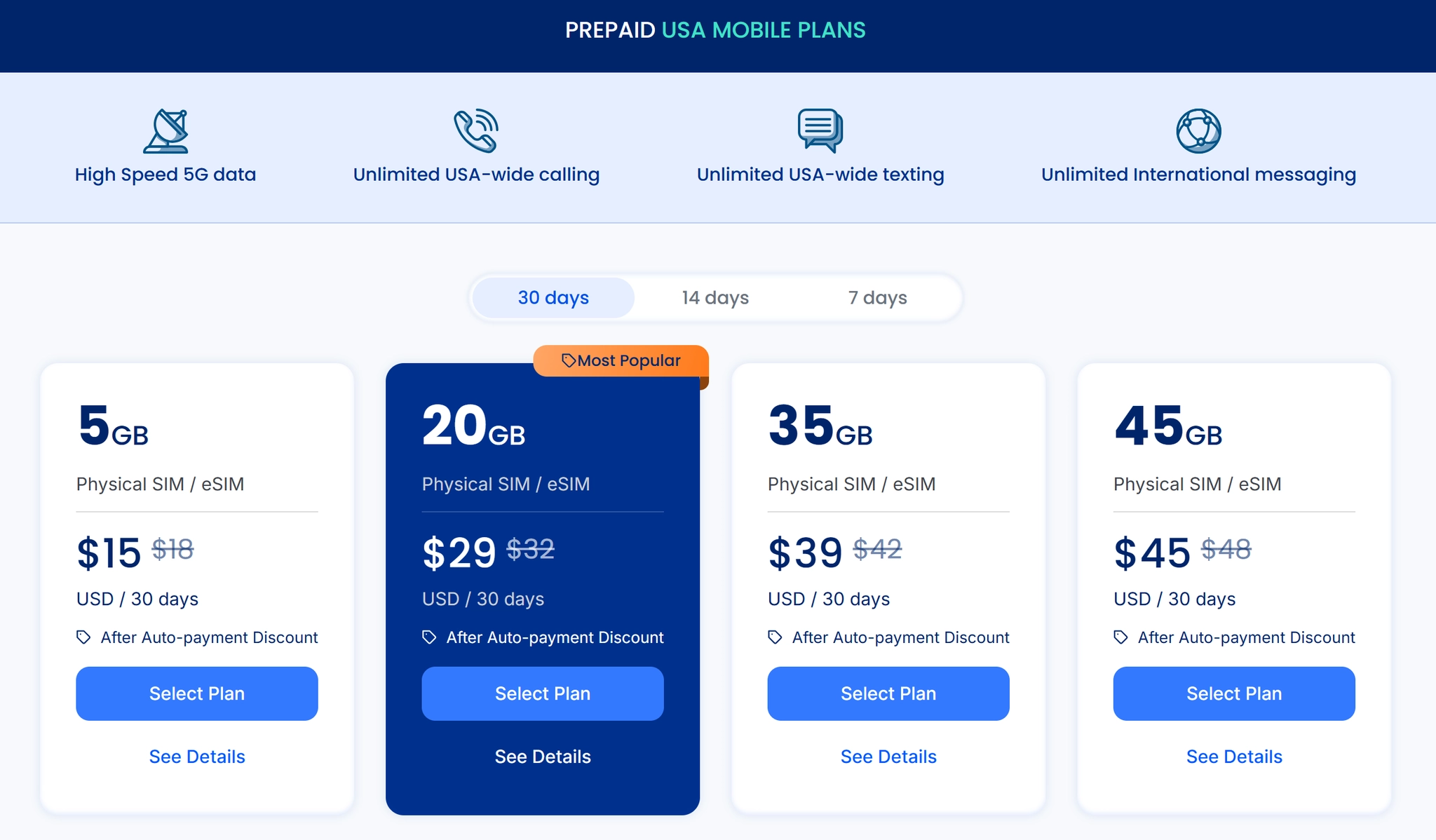
Select the plan you want to purchase
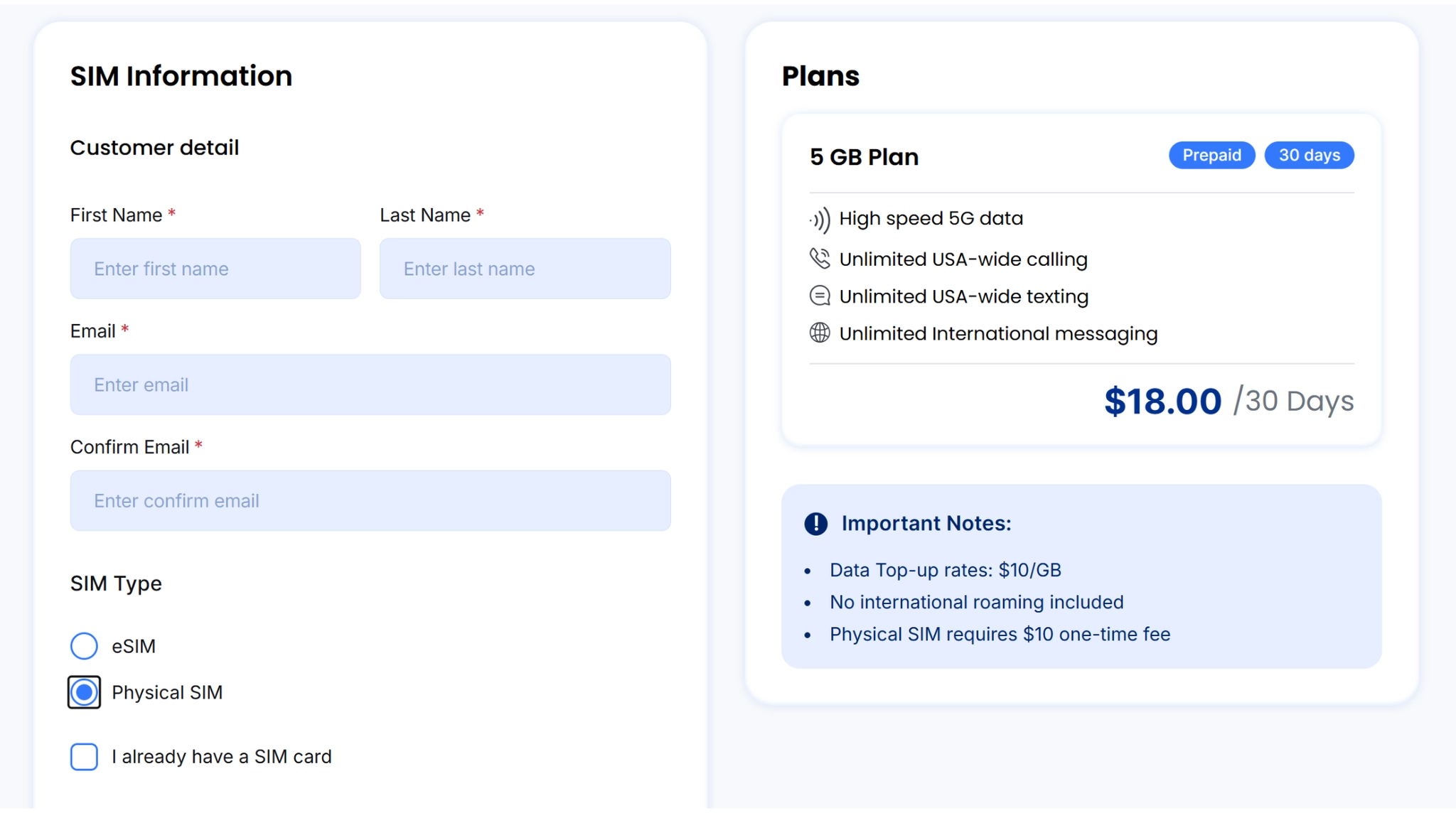
Complete your SIM information.
•
Click< Physical Sim>
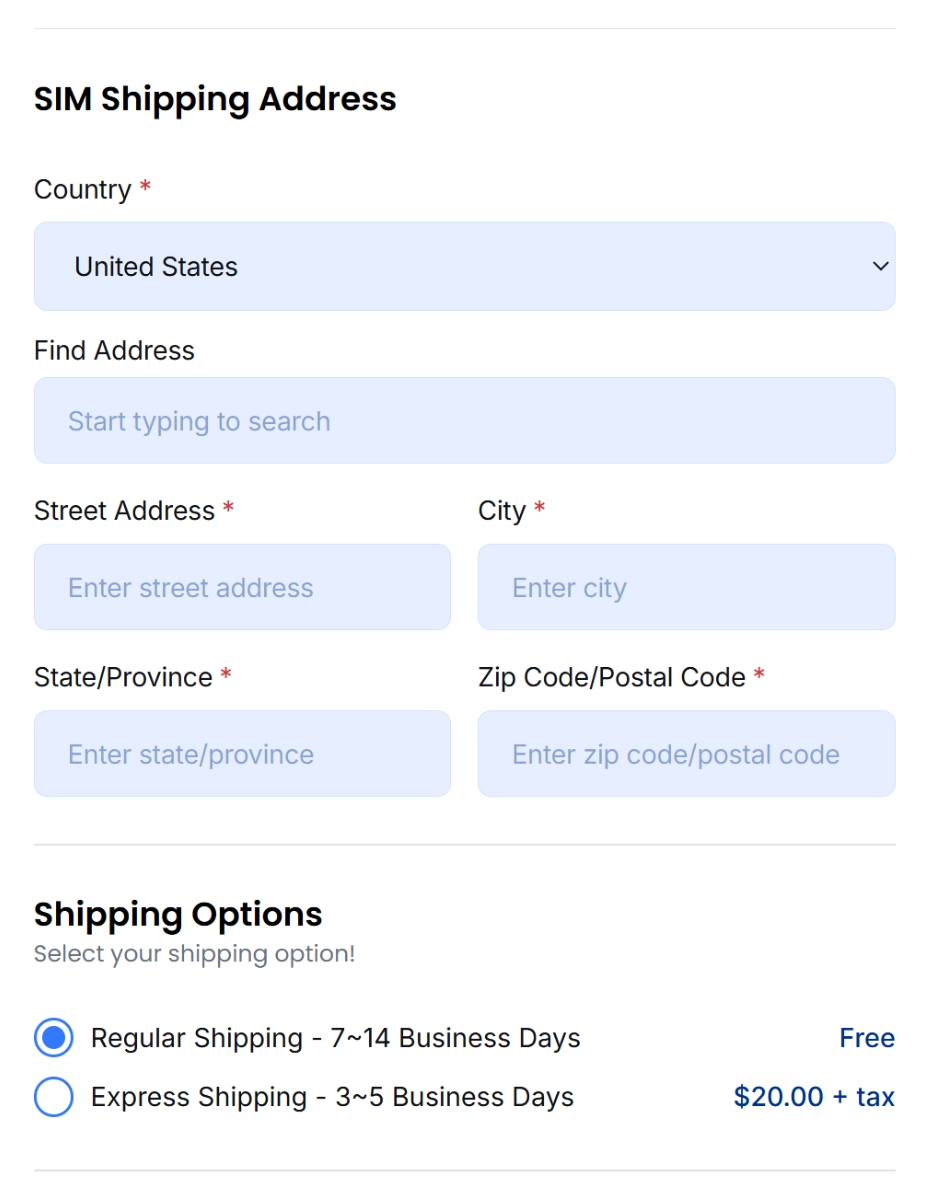
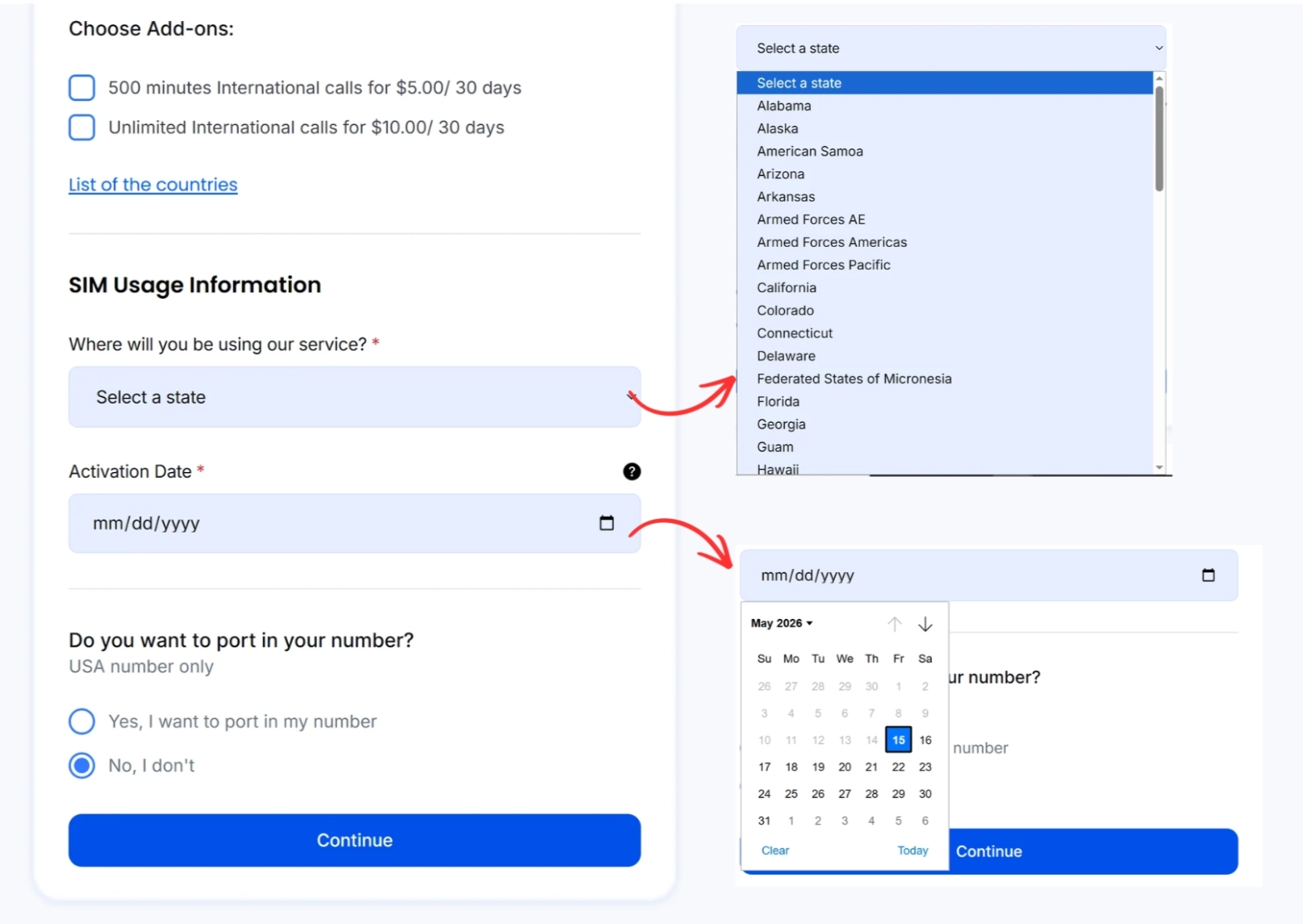
Shipping
•
Please provide the correct shipping address where you would like to receive your SIM Card.
•
Select between Regular Shipping or Express Shipping Choose the activation date you would like to start your services
Add-Ons
Choose if you want to upgrade your plan with Add-ons.
•
Select the State where you are going to use your service.
•
And Schedule the date of your activation.
Port In
•
If you have the USA number and want to keep using the number
•
If you don’t have the USA number or want to have a new number
Check your plan details and click the check box that you’ve read and understand the terms.
•
Check your plan details and click the check box that you’ve read and understand the terms.
•
Click <Proceed to Checkout>
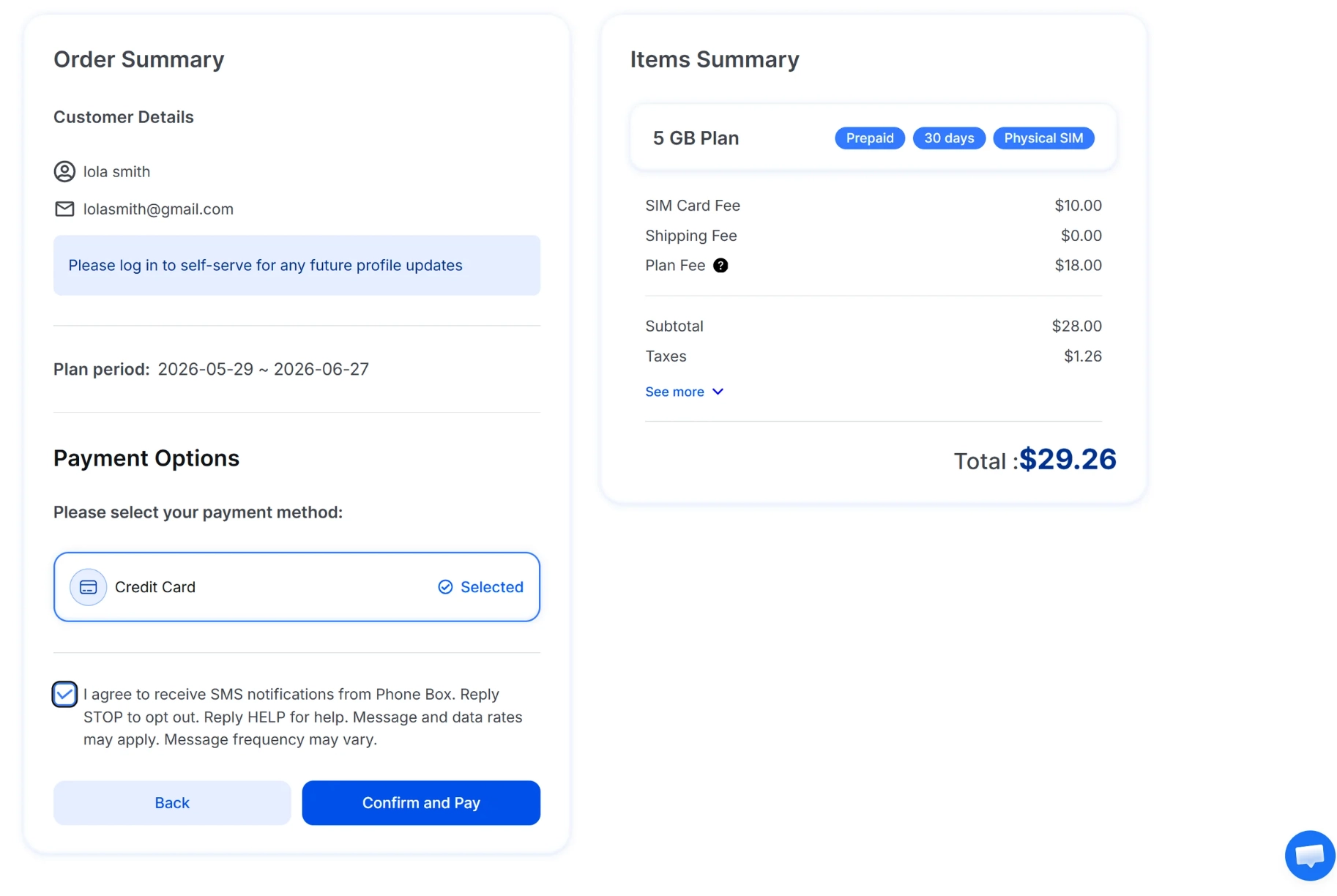
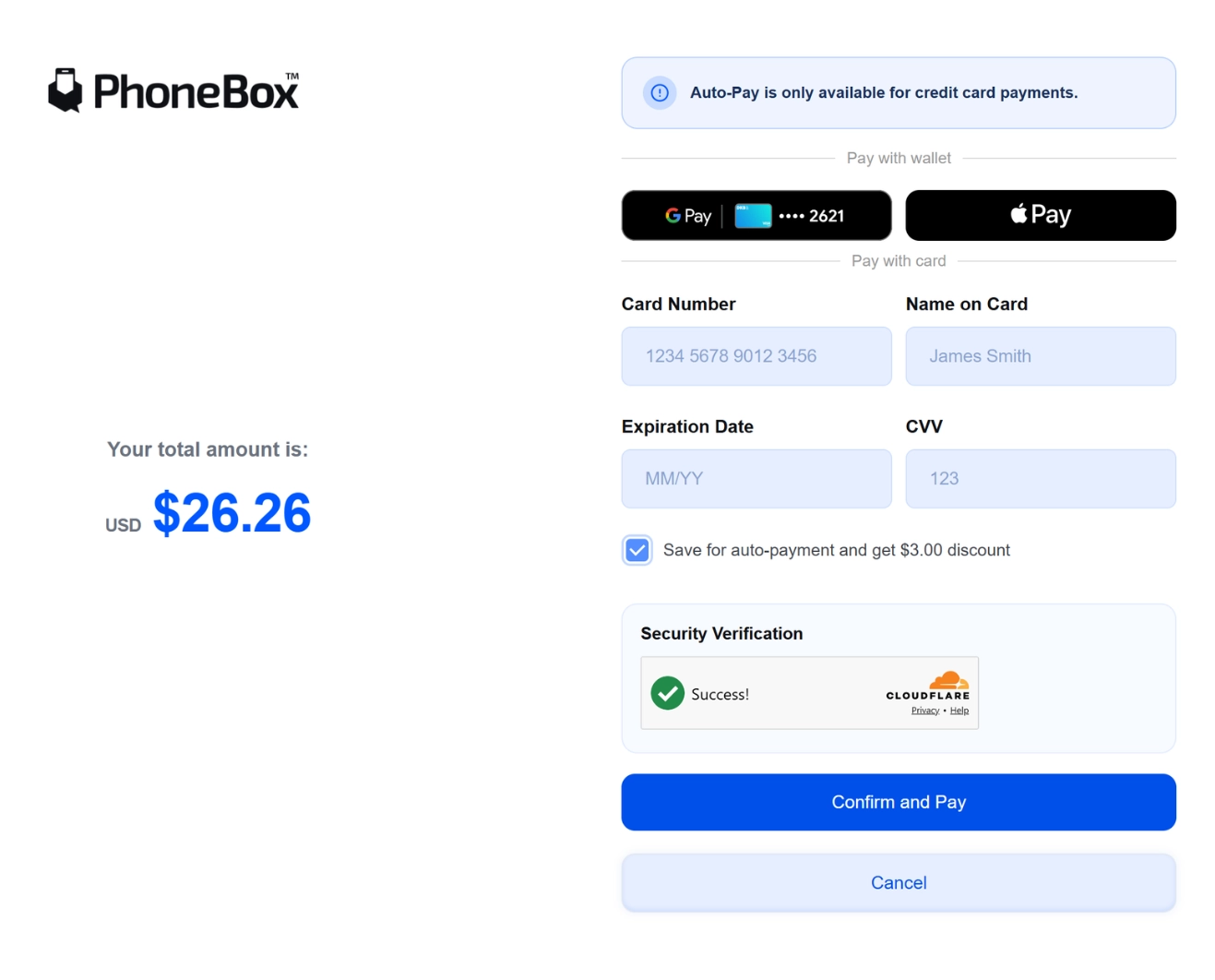
If you choose Credit Card to pay, please put your card number, name on the card, expiration date, and CVV correctly.
•
You can also pay with Google Pay and Apple Pay
•
Click < Save Auto- Payment> and you’ll get $3 discount, as you can see in the image.
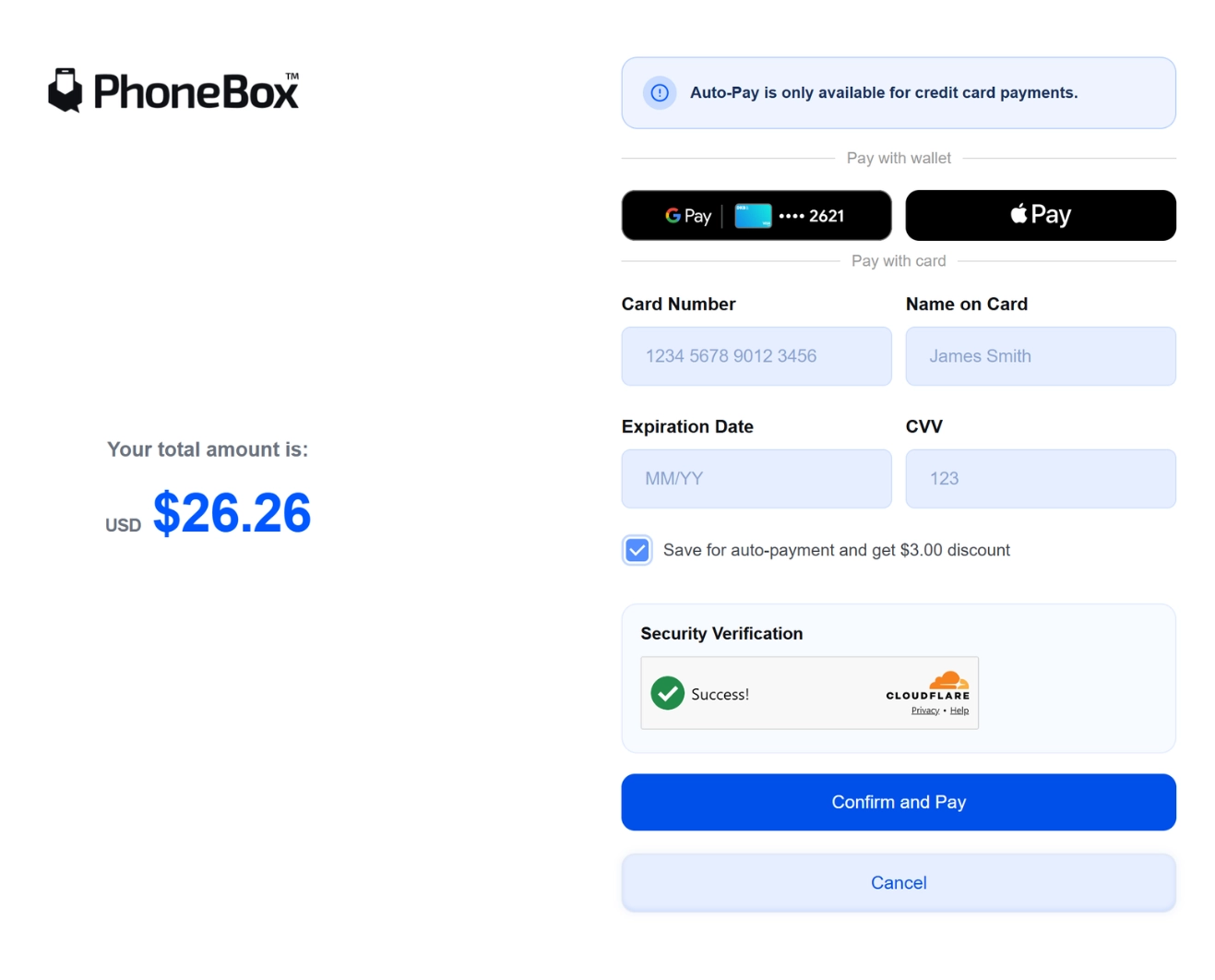
You have now completed the registration for your new PhoneBox services!
How to activate when you already have your SIM Card.
Visit PhoneBox website
Click <Mobile Plans>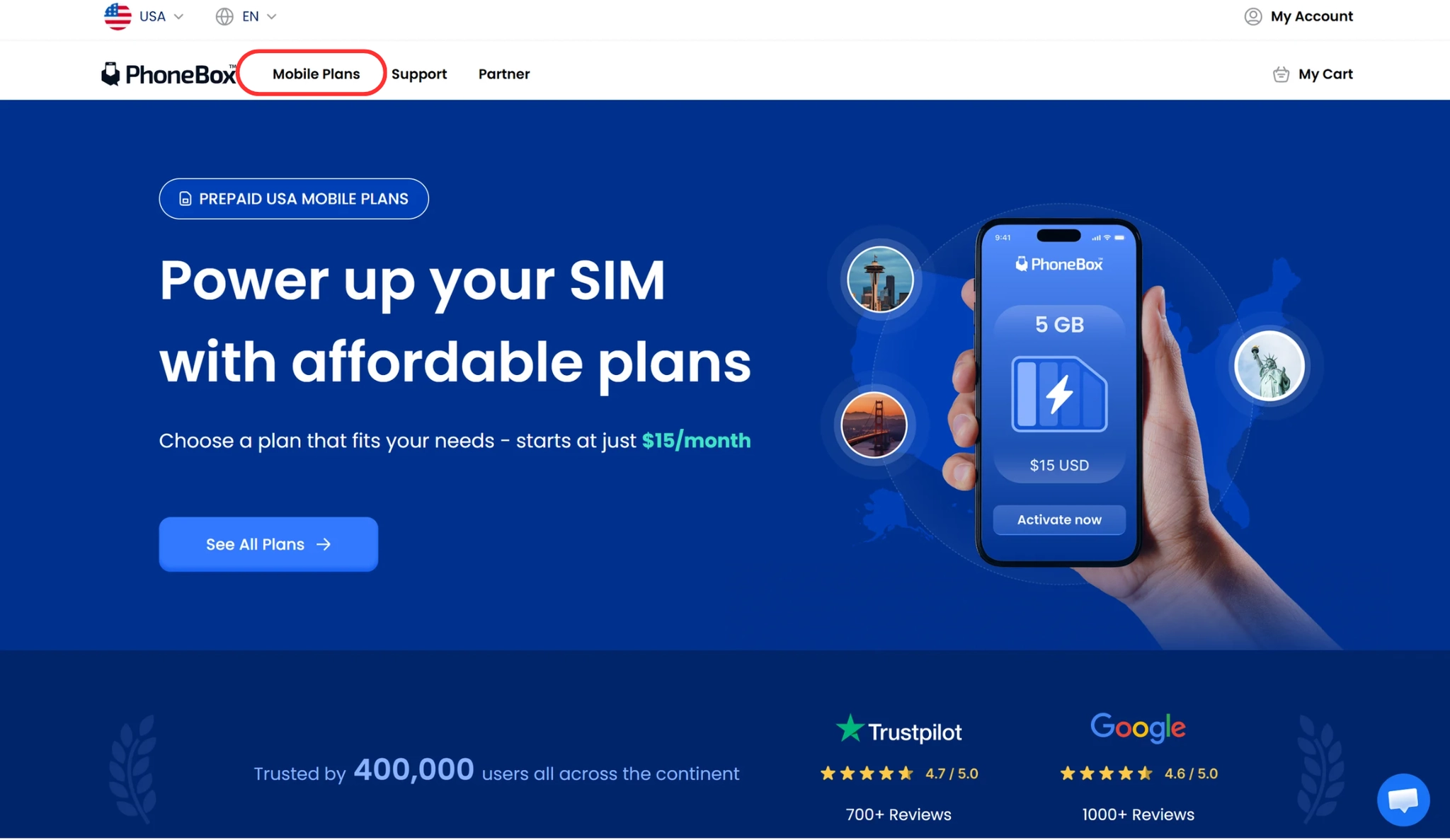
Select the plan you want to purchase
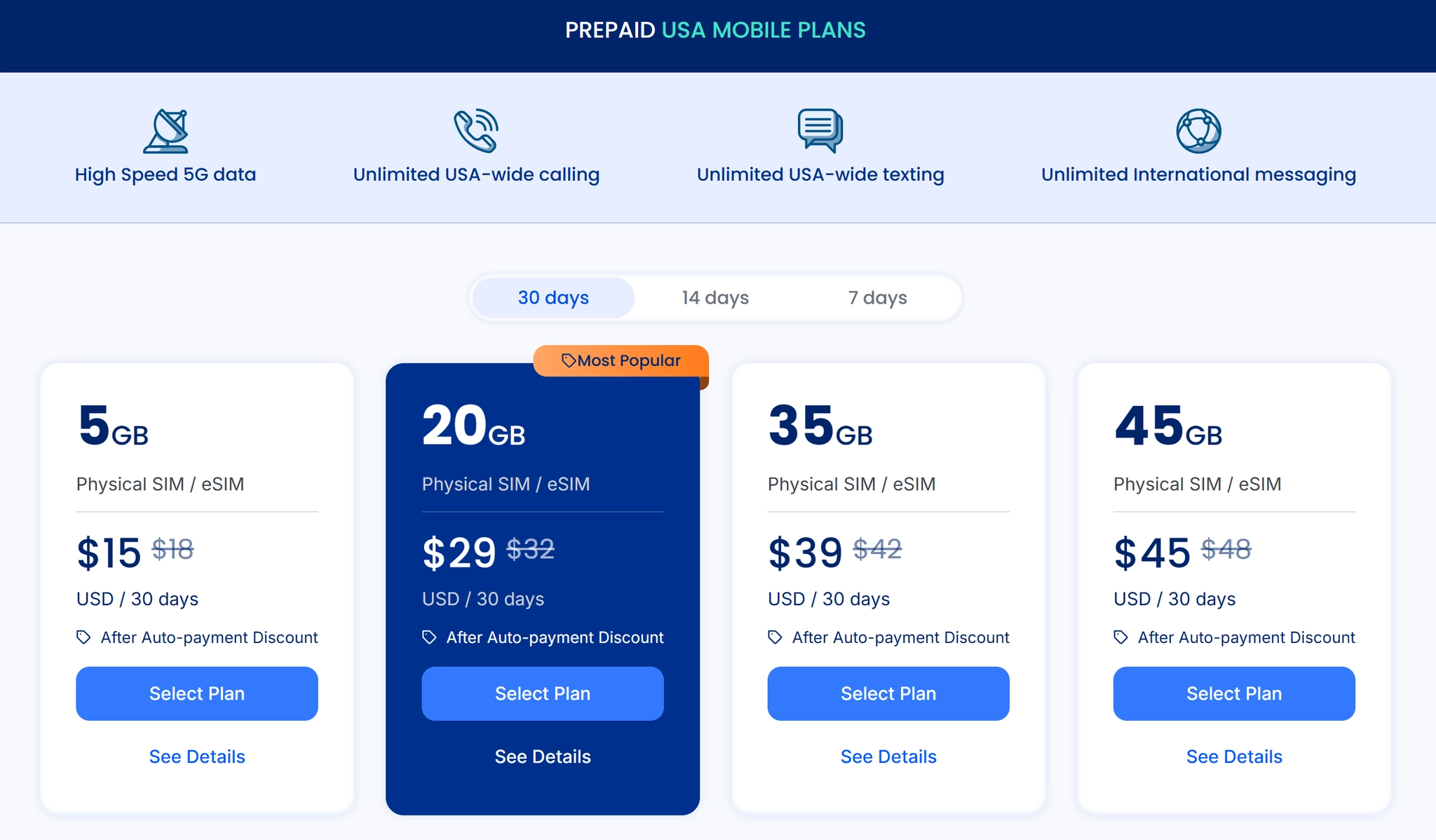
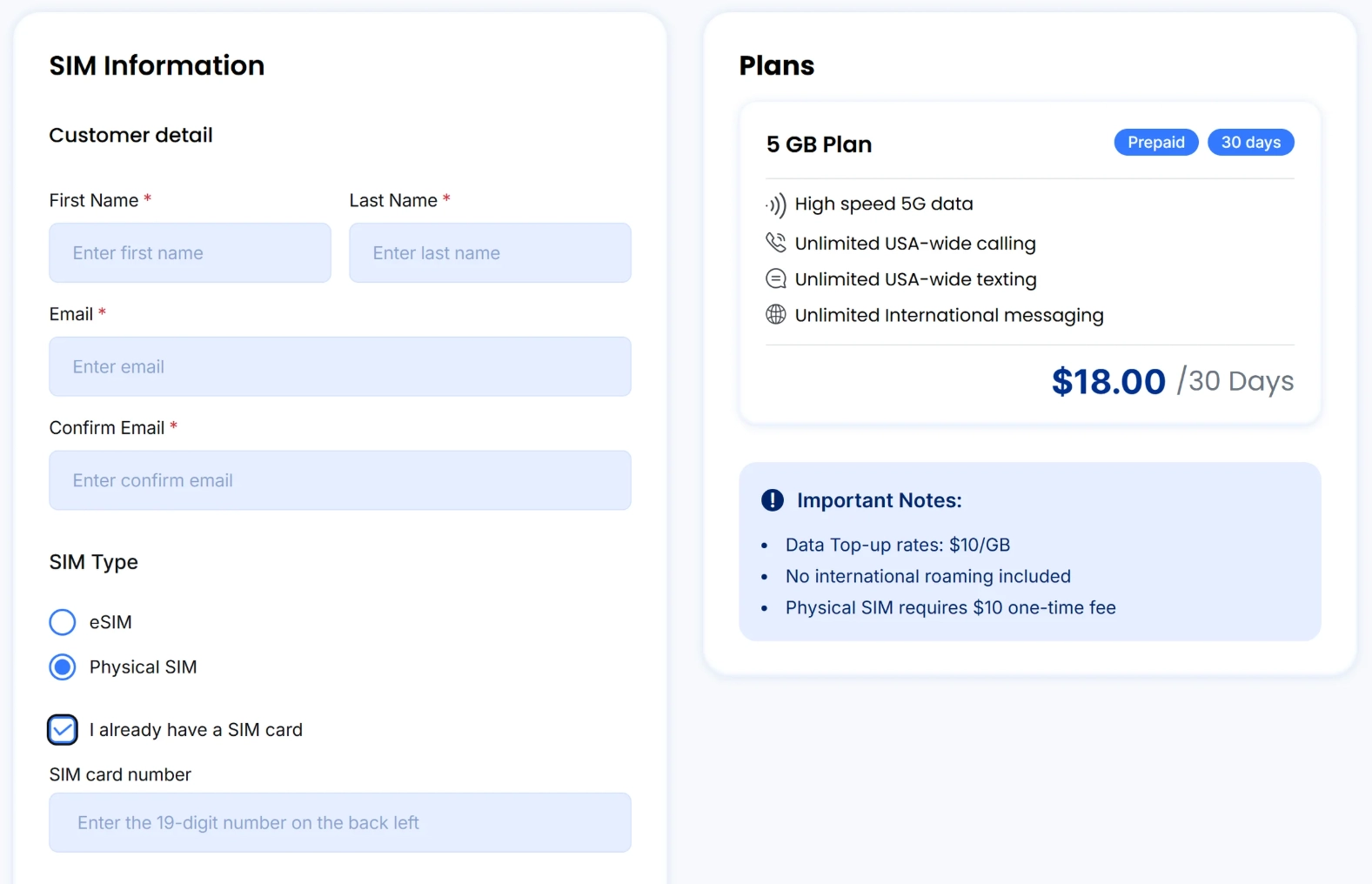
Complete your SIM information.
•
Click< Physical Sim>
•
Click <I already have a SIM card>
•
Enter your SIM Card number (the 19- digits number on the back left)
•
Add-Ons
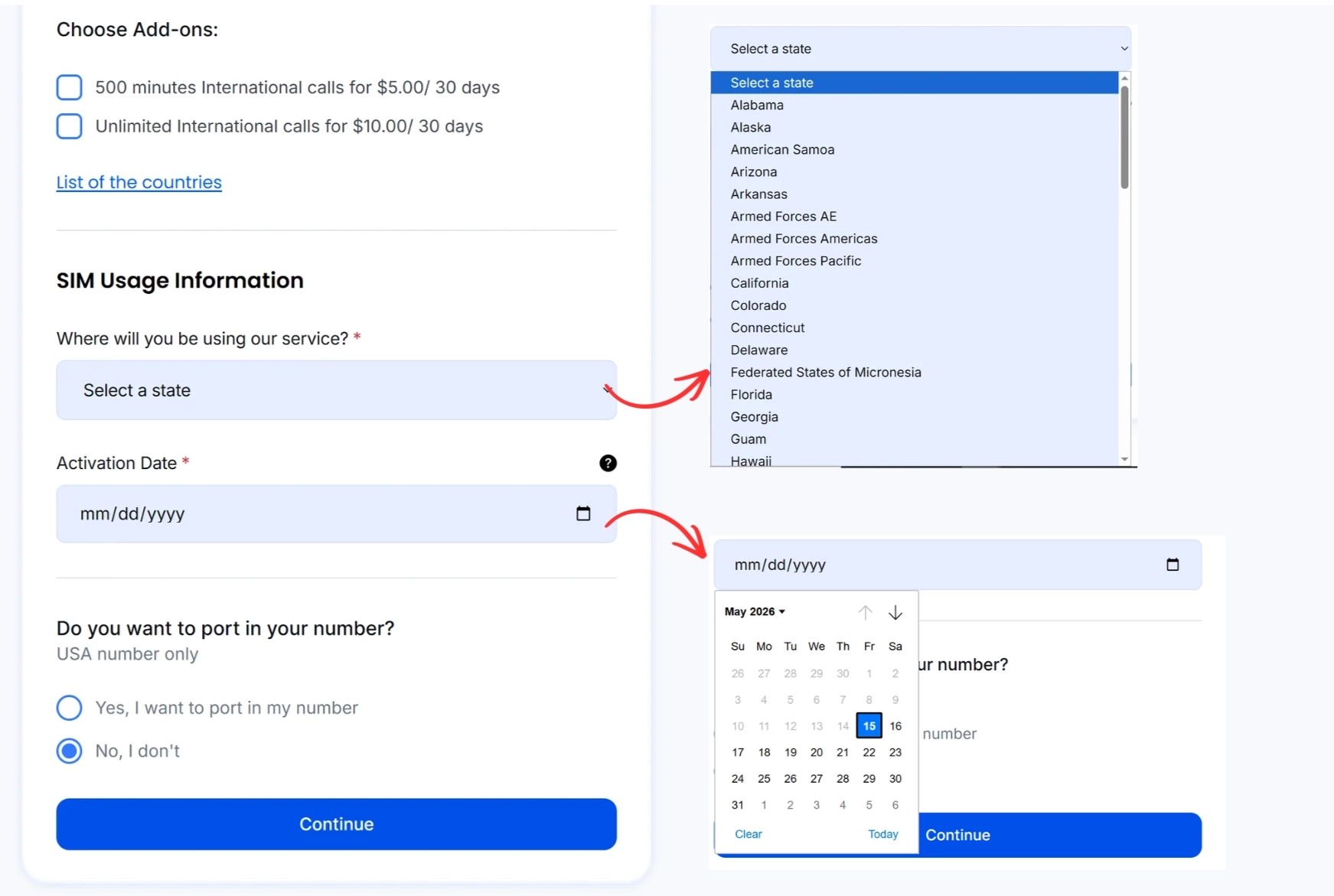
Choose if you want to upgrade your plan with Add-ons.
•
Select the State where you are going to use your service.
•
And Schedule the date of your activation.
Port In
•
If you have the USA number and want to keep using the number
•
If you don’t have the USA number or want to have a new number
Check your plan details and click the check box that you’ve read and understand the terms.
•
Check your plan details and click the check box that you’ve read and understand the terms.
•
Click <Proceed to Checkout>
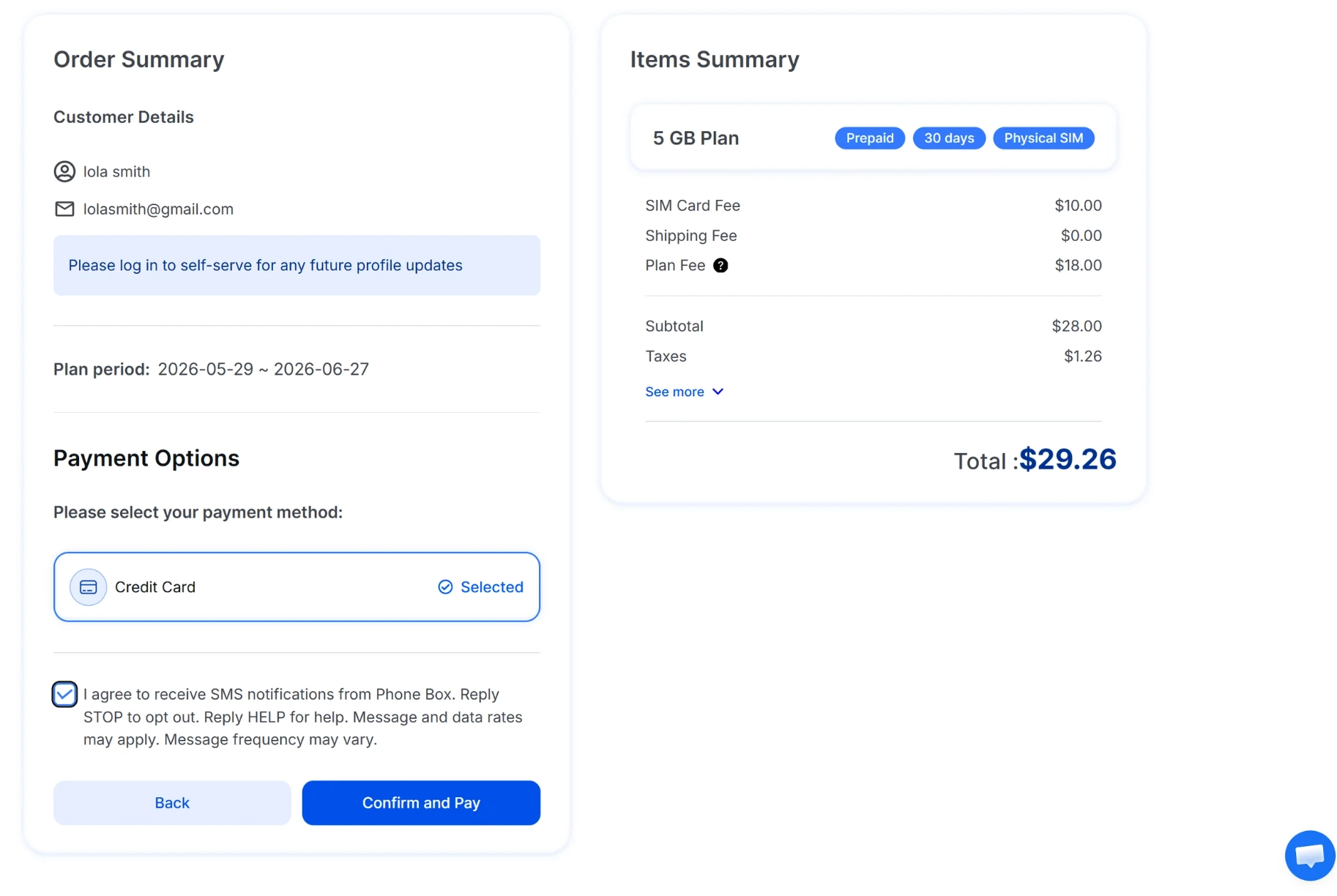
If you choose Credit Card to pay, please put your card number, name on the card, expiration date, and CVV correctly.
•
You can also pay with Google Pay and Apple Pay
•
Click < Save Auto- Payment> and you’ll get $3 discount, as you can see in the image.