
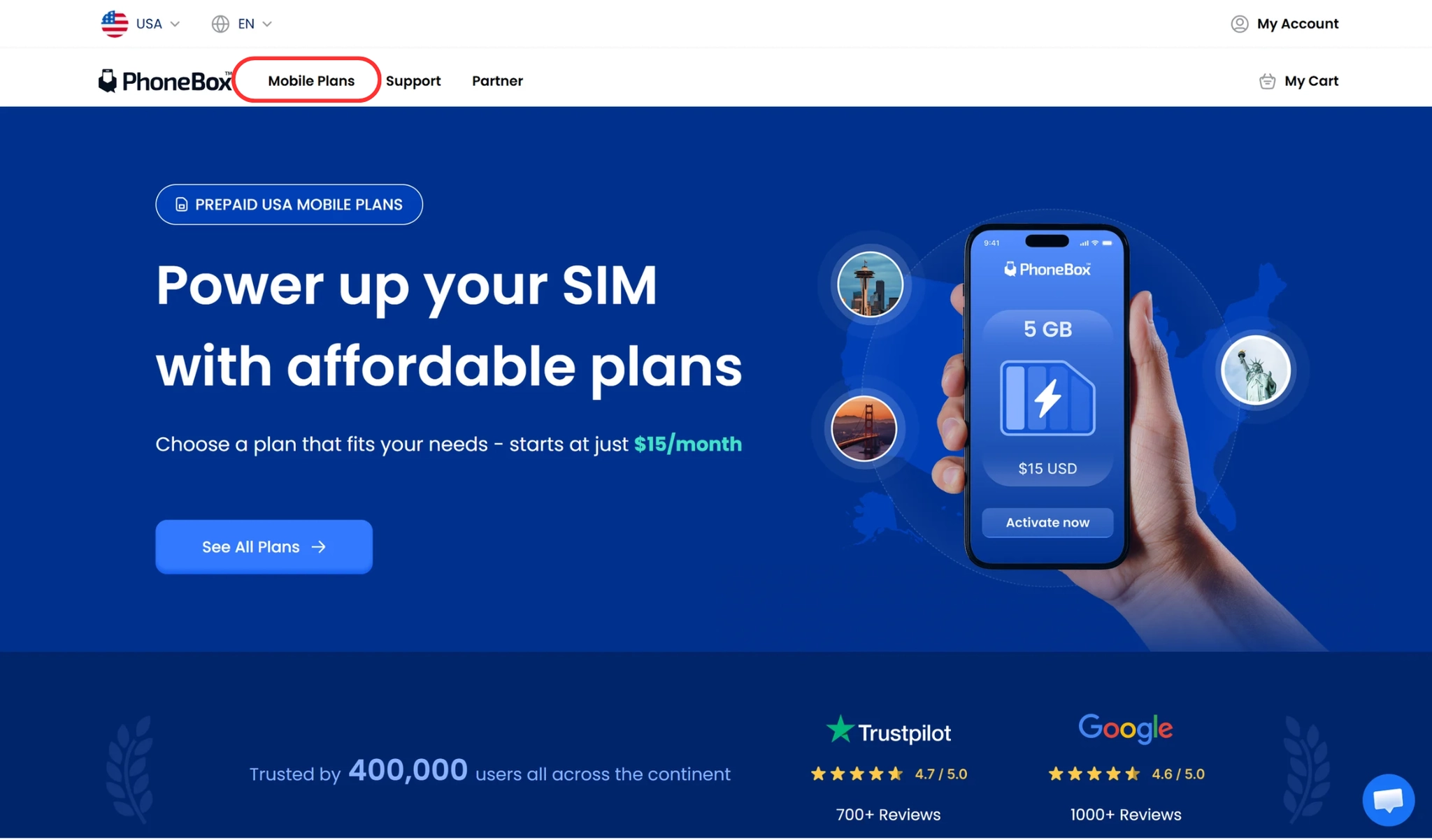
 Before activating your eSIM. Please check if your device is eSIM compatible. Visit PhoneBox website Click <plans>
 Select the plan you would like to use and click <eSIM> ( This is an example)
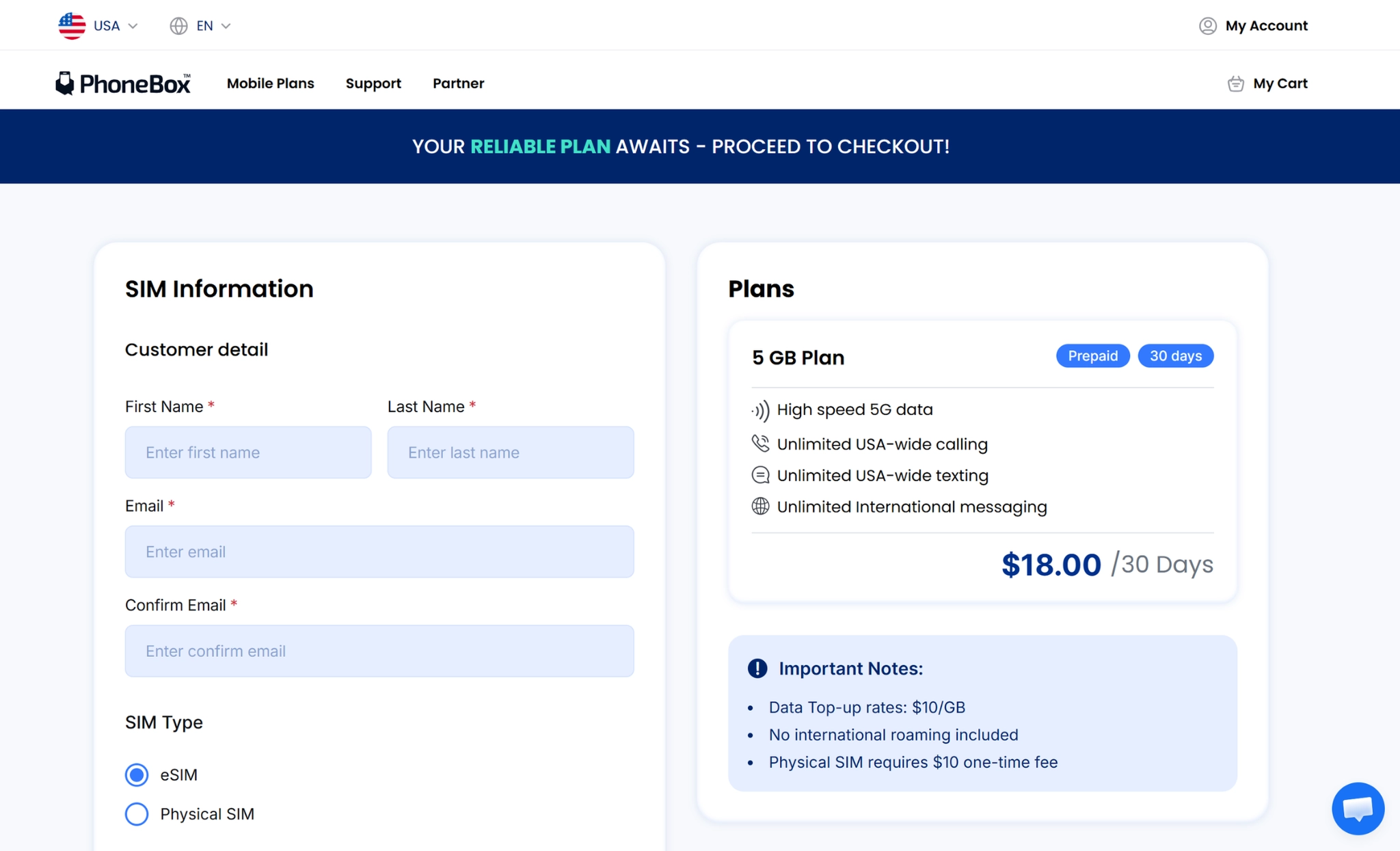
 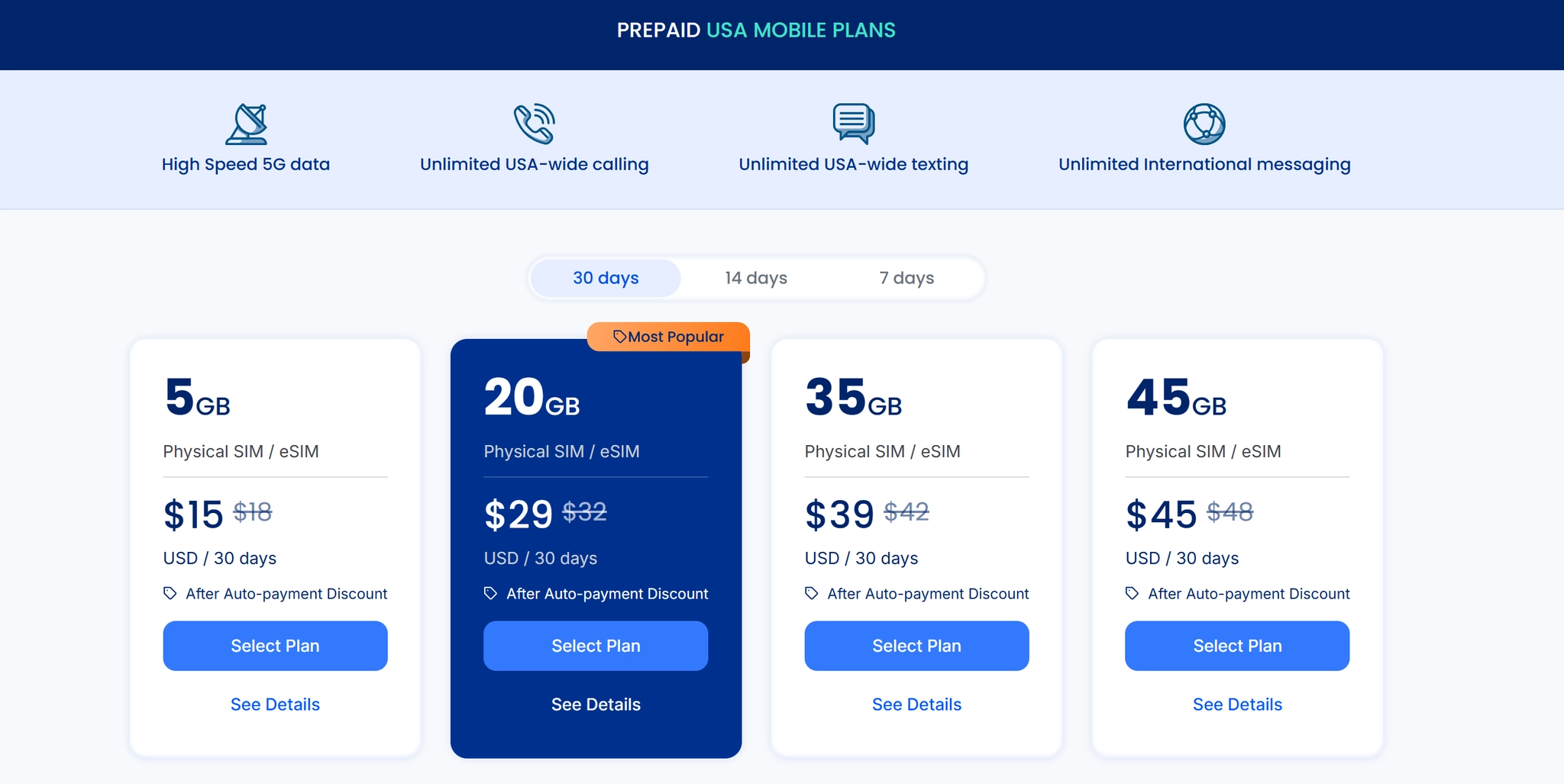 Click < Select Plan> to proceed with activation. Personal information
•
Please choose eSIM fill out the personal information, ensuring accuracy.
Make sure to fill our every information in ENGLISH.
•
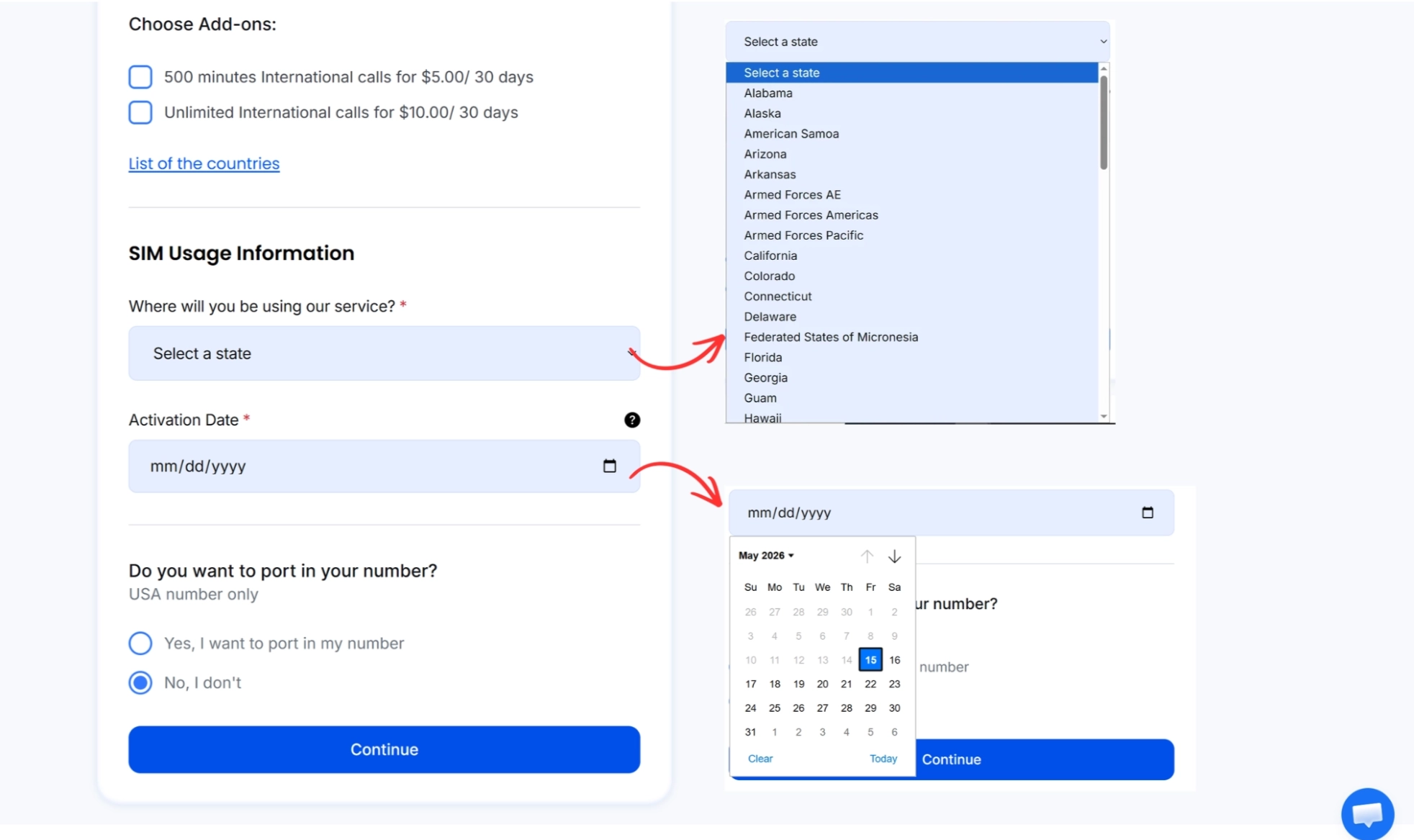
Choose if you want to upgrade your plan with Add-ons.
•
Select the State where you are going to use the service.
•
Choose the activation date you would like to start your services.
•
Port In
If you have a US number and want to keep using the number.
If you don’t have a US number or want to have a new number.
•
Choose if you want to upgrade your plan with Add-ons.
Check your plan details and click the check box that you’ve read and understand the terms.
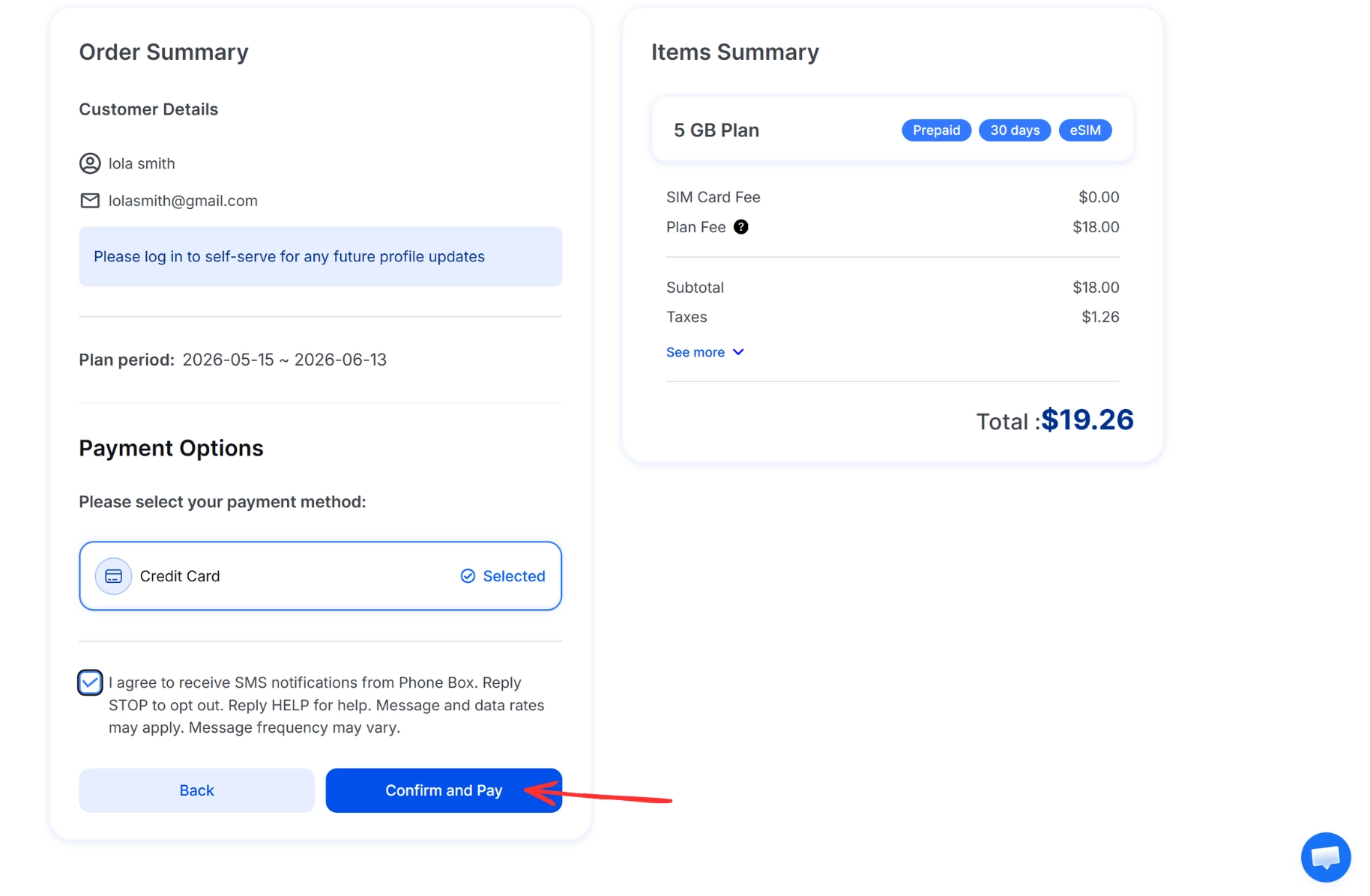
Check your plan details, select the payment method and click the check box that you’ve read and understand the terms.
Click <Confirm and Pay>
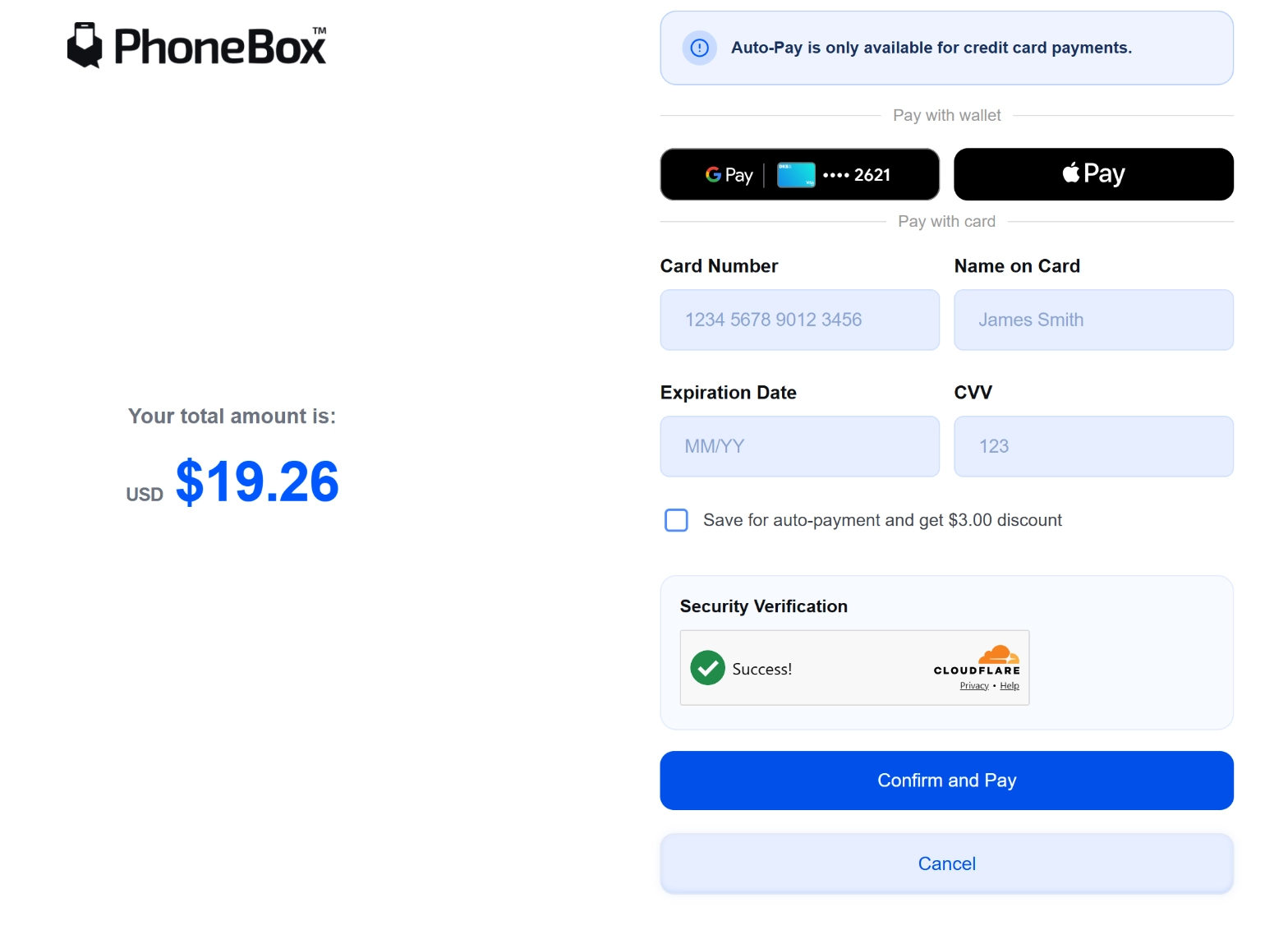
If you choose Credit Card to pay, please put your card number, name on the card, expiration date, and CVV correctly.•
You can also pay with Google play and Apple play options
•
Click <Confirm and Pay)
 You have now completed the registration for your new PhoneBox Services!
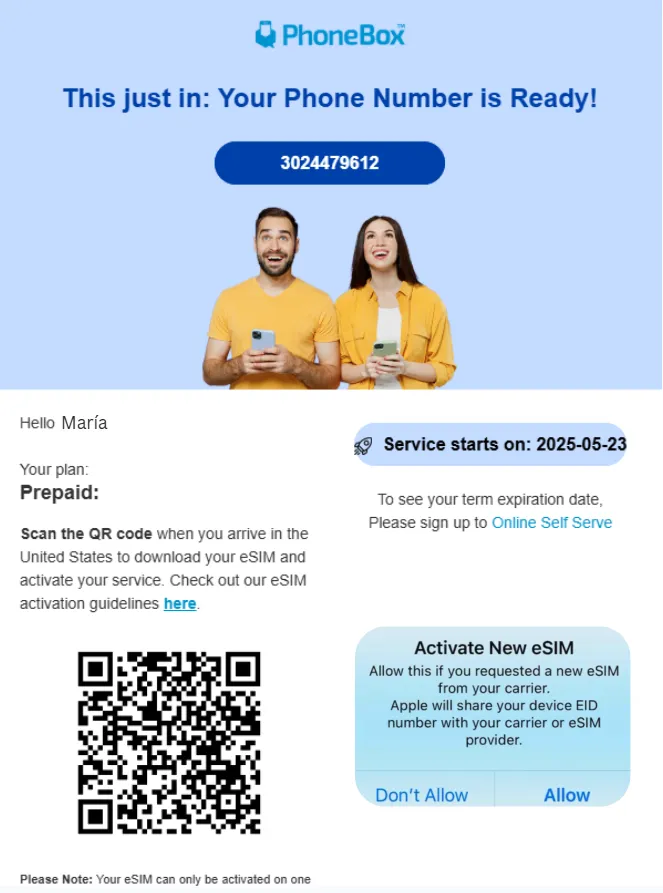
You will receive 2 emails after your registration.
First email - Welcome/Confirmation email. 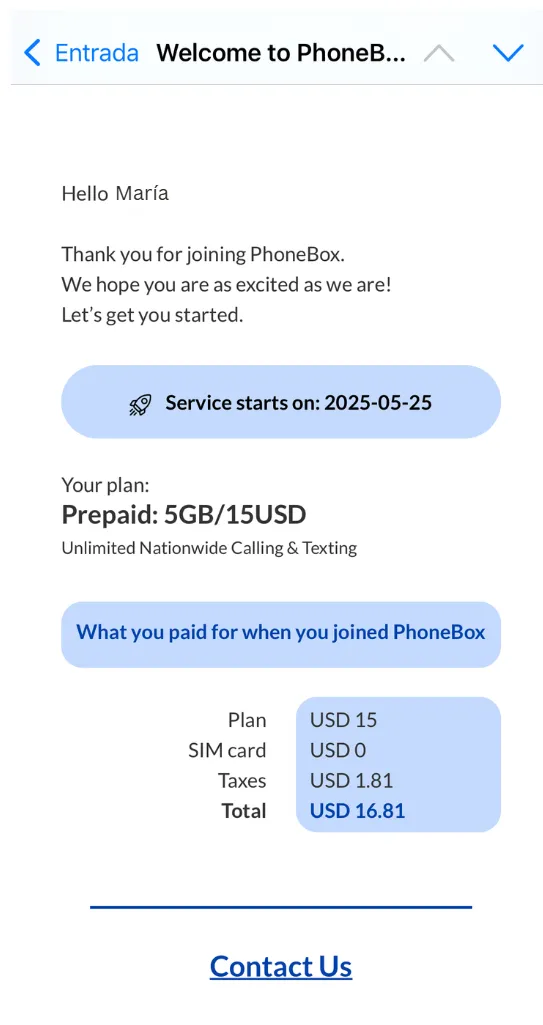 Second email - Day of your activation date.
 *Press the QR code and click allow to activate your eSIM.