
 Pay via PhoneBox Website or App
Sign in to your online account to complete your payment.
*New payment methods will be added soon.
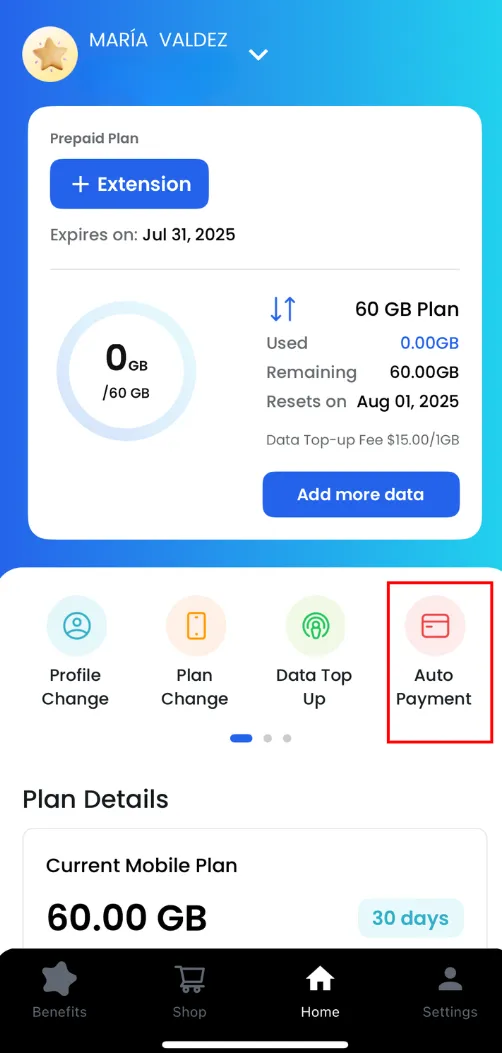
 Auto-Payment Setup
You can enable automatic payments via the website or app.
(This can also be set up at the time of activation.)
 In-Store Payment (Cash not accepted)
You can pay in person at one of our stores:
•
Vancouver Store
658 Seymour St, Vancouver, BC V6B 3K4
•
Toronto Store
1240 Bay St. #305, Toronto, ON M5R 2A7
How can you do it?
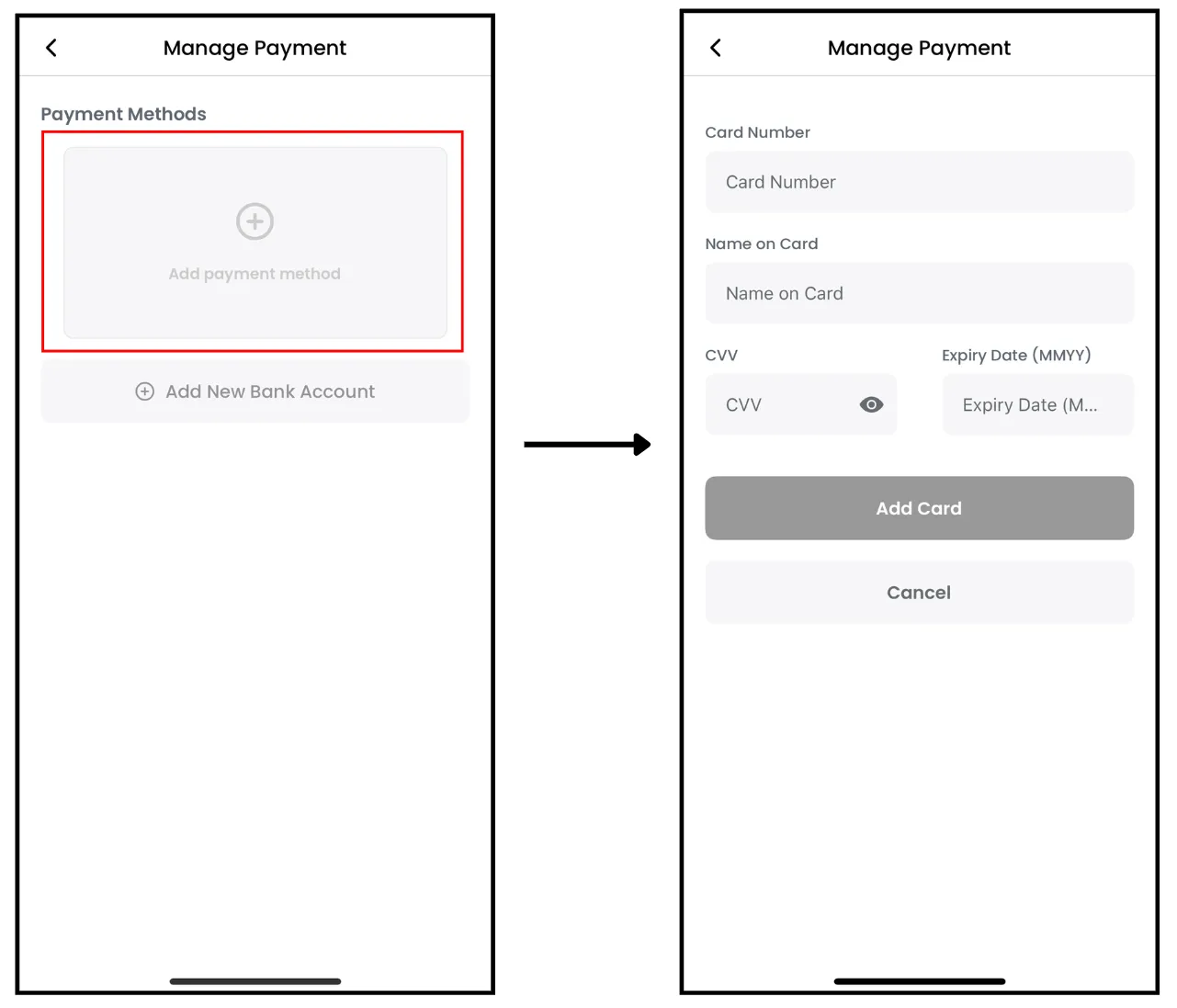
 Credit Card
 Canadian Bank Account Withdrawal
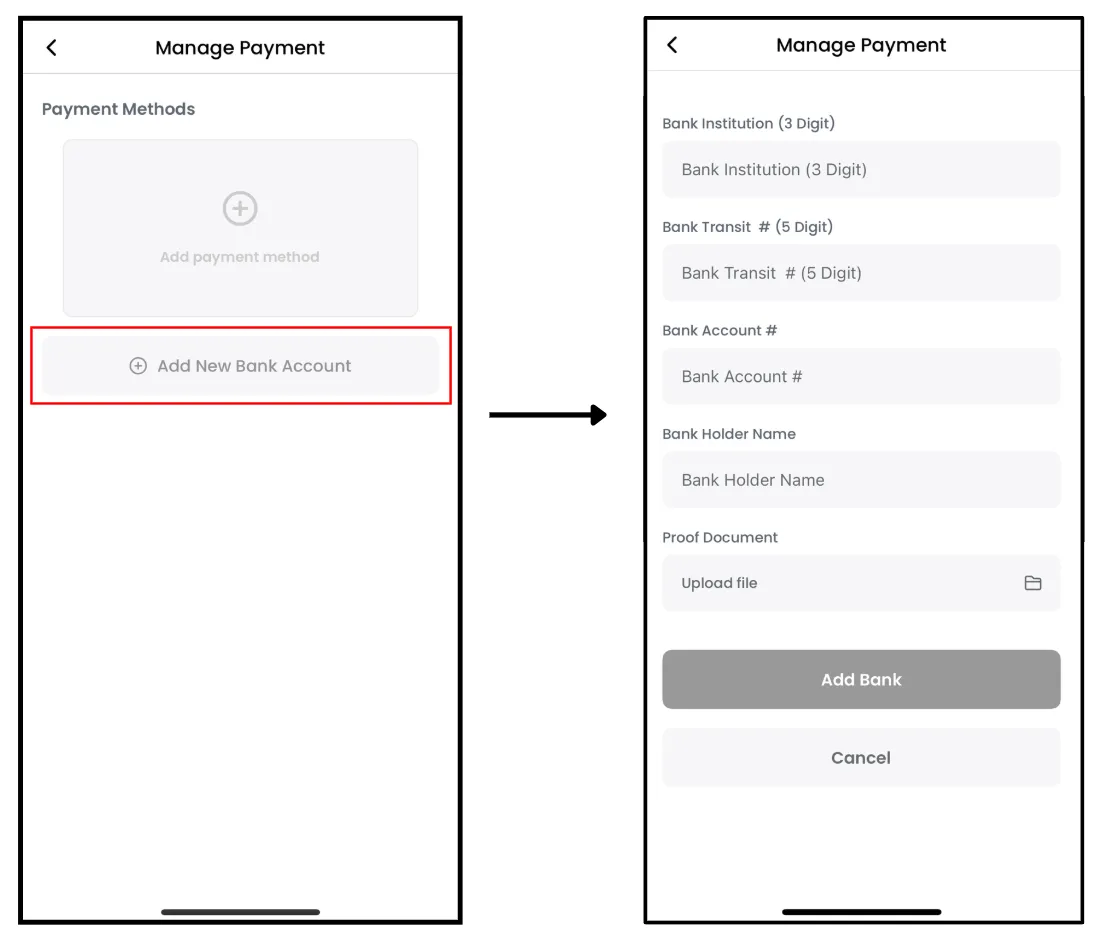
To pay via a Canadian bank account, please enter the following details through the app:
•
Bank Institution Number (3 digits)
•
Bank Transit Number (5 digits)
•
Bank Account Number
•
Account Holder Name
•
Supporting documentation
To update your bank account information, please make changes between the 26th of the current month and the 12th of the following month.
 In Canada, a $25 + tax penalty will apply if:
•
There are insufficient funds in your account
The bank information is incorrect
 Changing Payment Method
 If you have any questions, please contact us via email or our other channels.